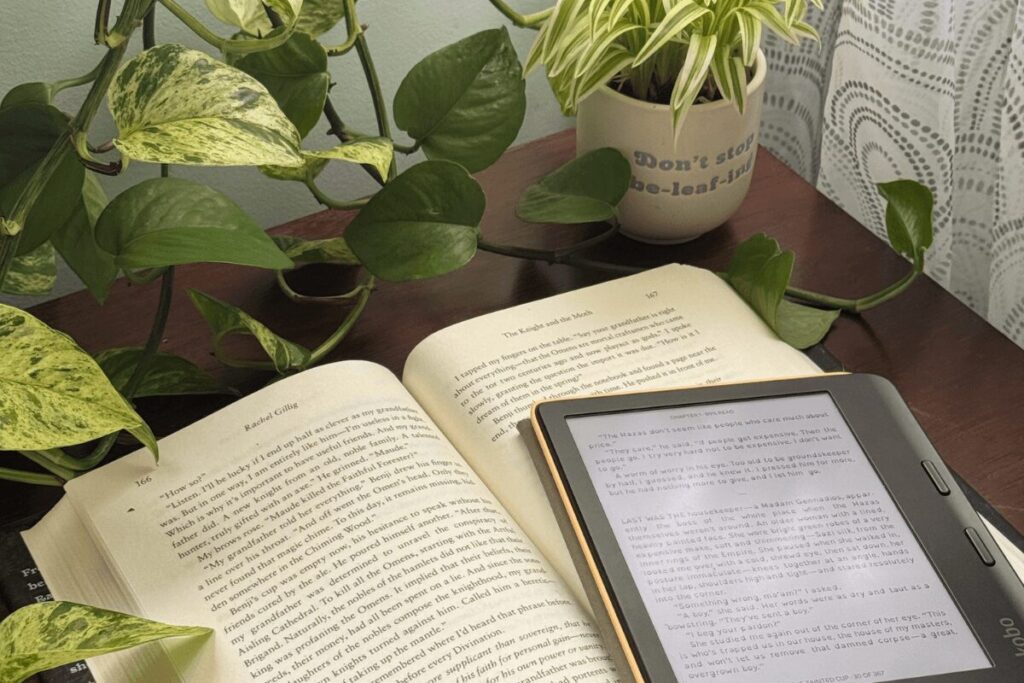
Three years ago, I rediscovered my love of reading, but with one big challenge: I couldn’t afford to buy books. For my birthday, I asked for one thing: a Kobo e-reader. On the big day, I unwrapped the Kobo Libra Color, and it’s been a treasured companion ever since.
I picked this model for two main reasons. First, the color screen is perfect for graphic novels. Second, it’s compatible with Libby, so I can borrow books from my local library (something that doesn’t always work on a Kindle, depending on your location).
In this post, I’ll share my experience with the Kobo Libra Colour, along with some handy tips and hacks I’ve learned to make reading even more enjoyable.
This post contains affiliate links. As an Amazon Associate, I earn from qualifying purchases. I may also earn a commission from other links at no extra cost to you. Read my full disclaimer here. Thank you for supporting the blog!
Are Kobo E-Readers Worth the Money?
Short answer: 1000% YES! Over the years, I’ve found that having an e-reader comes with a lot of amazing perks Here are all the ways it’s been a game-changer:
1. Saves money in the long run
Books can be expensive (especially here in Canada)! Using your library card to borrow e-books can save you a ton. I paid a little over $250 for my Kobo, which is about the cost of 10 adult fantasy paperbacks. I made back my money within the first two months of using it!
2. Instant access to books
No more waiting for shipping or rushing to the bookstore. With an e-reader, you simply press a button and the book appears in your library. Any book you want is literally a click away.
3. Read faster
I don’t have scientific proof, but I swear I read faster on my Kobo e-reader than with physical books. Something about the format just helps me get through pages more quickly.
4. Read anywhere
You can read anywhere without worrying about lighting or weather. My Kobo e-reader works in the dark, under bright sunlight, or even in the rain.
5. Lightweight and portable
These devices are so light and compact that you can carry hundreds of books anywhere. I toss mine in my purse and take it everywhere, which is far more convenient than hauling around multiple physical books.
6. Time Commitment
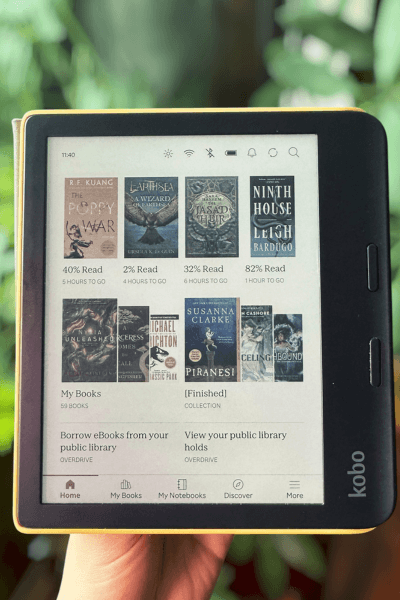
One feature I really appreciate is that my Kobo e-reader shows how long it will take me to read a chapter or the entire book. I use this to decide whether I’m ready to commit to a longer novel or just want a shorter read. It’s a small feature, but surprisingly helpful when planning my reading time.
For me, these benefits made switching to an e-reader feel like a no-brainer. Since getting my Kobo e-reader, I’ve noticed I read far more consistently than I did before.
Having dozens of books just a click away makes it easy to pick up something new whenever I have a few spare minutes, and I don’t feel guilty about spending money on books I might not finish thanks to library borrowing.
The Features I Love + Quick Specs
My Kobo Libra Color has a 7-inch colour screen, front-facing buttons for easy page turns, and 32GB of storage—enough space for all my books and manga. Over the years, I’ve found myself relying on several key features that really enhance my reading experience:
- Night mode – perfect for reading before bed without straining my eyes.
- Physical buttons – easy to turn pages without tapping the screen.
- Annotating and highlighting – I love using my stylus to highlight quotes and write notes down.
- Libby integration – available in Canada and you can easily borrow books from multiple libraries.
- Battery life – lasts for weeks, so I can read without constantly charging.
- Checking for sales – has a section you can check to see if there are any sales on your favorited items.
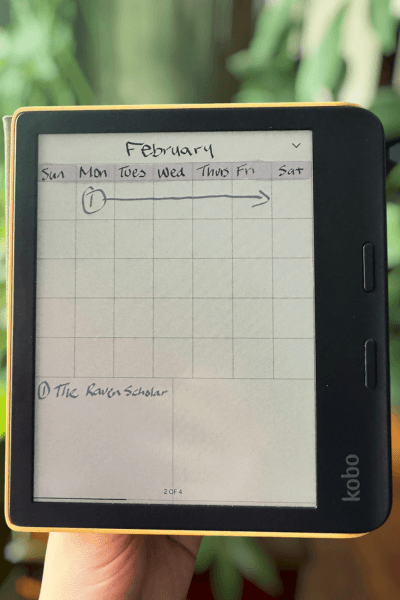
- Digital notebook – pre-made templates for you to use to write down whatever sparks your creativity.
- Natural light adjustment – you can read comfortably in bright or dim lighting without glare.
- Waterproof – gives me peace of mind when reading near the pool of if I’m ever caught in the rain.
- Accessories – it comes with an optional pen for making annotations, and the case that doubles as a stand and puts the device to sleep when closed (both sold separately).
Limitations of the Kobo Libra Color
Of course, no device is perfect, and the Kobo e-reader has a few limitations worth noting:
- Book availability – sometimes certain titles aren’t accessible through my library or the Kobo store. Some authors have exclusive deals with Amazon, which means you can’t get their books on Kobo.
- Library card restrictions – I can only connect one library card at a time, which can be inconvenient if you have multiple library memberships.
- Screen Brightness – Since this is the color version, you’ll need to turn up the brightness more than on a black-and-white e-reader, which can slightly affect battery life.
While these issues are minor for me compared to the benefits, it’s good to know what to expect before investing in an e-reader.
5 Hacks & Tips for The Kobo Libra Color
Over time, I’ve discovered a few tricks that make using my Kobo even more enjoyable and efficient:
1. Organize your library
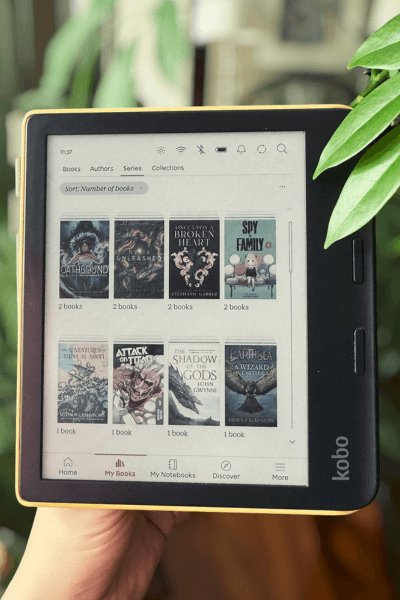
Kobo already organizes your books by author and series, but you can also categorize them by genre or any label you want. Since I have a lot of books on my Kobo e-reader, I like to tag them as finished, DNF (did not finish), or not read. This makes it easy to find what you’re looking for and keep track of your reading progress.
2. Adjust reading settings
The first thing you need to do when getting your e-reader is to customize it to your liking. This includes choosing your preferred font style and size, adjusting line spacing and margins, and setting brightness so reading is comfortable in any situation.
3. Use digital notebooks creatively
You can import journal templates and fill them out with your stylus, which is great for notes or quotes you like. Afterward, you can export and print them if needed.
4. Explore hidden features
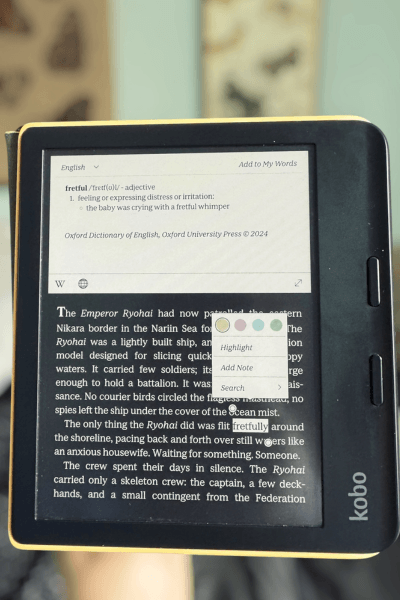
Check out your reading stats, such as the percentage of books you’ve read, how many you’ve finished, and the total number of hours you’ve spent reading. You can also save and look up word definitions instantly, which is perfect for learning new words or reviewing vocabulary.
5. Get personalized recommendations
Based on the books you’ve read, the Kobo store will suggest titles they think you might like. They’ll also show you related reads to the ones you’ve already enjoyed.
6. Import E-Books
You can easily build a collection of books in your library by importing books using adobe digital editions.
Final Thoughts on The Kobo Libra Color
Three years in, I can confidently say my e-reader has been one of the best tools for my reading journey. Between the convenience of e-books, the ability to borrow from libraries, and the little hacks I’ve picked up, it has made reading more accessible and enjoyable than ever.
If you’re thinking about getting an e-reader, the Kobo Libra Color is the one I personally use and recommend to everybody!
Whether you’re a graphic novel fan, a library lover, or just looking to get more out of your Kobo e-reader, I hope some of these tips help you make the most of your Kobo. And if you have any personal hacks or favorite features, I’d love to hear about them in the comments!